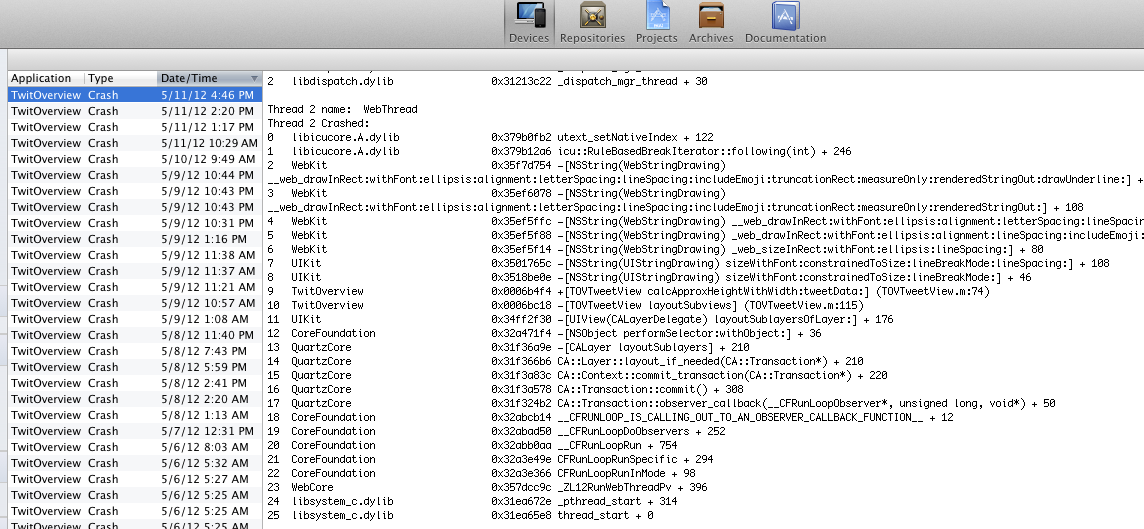
追記2012/5/26 AdBannerViewでクラッシュする例も追加しました。TweetOverview のクラッシュ対策について | Zero4Racer PRO Developer’s Blog
追記2012/5/14 これでほぼクラッシュしない様になって来ているのですが、まだ、クラッシュすることがあります。最小構成を作成してみたところ、その構成では落ちないようです。メモリが少ない場合など、条件が重なって発生するようです。引き続き調査を続けます。
追記 2012/05/21: 落ちなくなったコードを共有します。
UIWebView がクラッシュするのを防ぐ方法−2 | Zero4Racer PRO Developer’s Blog
iOS5 で UIWebView を使用しているときはご注意-予期せぬクラッシュを防ぐ方法 | Zero4Racer PRO Developer’s Blog
の続編です。やはり、アプリが落ちることがありましたので、さらに修正してみました。
やはりStackOverflowで検索してみたところ、
iphone – UIWebView EXC_BAD_ACCESS crash – Stack Overflow
この記事が見つかり、
You have to stop loading the webView and remove the delegate before leaving the view:
- (void)dealloc {

    [webView setDelegate:nil];

    [webView stopLoading];

    [webView release];

    [super dealloc];

}
What Apple documentation is saying: Important Before releasing an instance of UIWebView for which you have set a delegate, you must first set its delegate property to nil. This can be done, for example, in your dealloc method.
とのことでした、よく自分のコードと比べてみると、delegate=nilと、[webview stopLoading];の順番が逆のようでした。どうも先にdelegate=nilをしないとだめなのかと思い、変更してみました。
また、
0
down vote
I was having an EXC_BAD_ACCESS crash on a scrolling UIWebView, but only on the iPad, and only when the user had left the UIWebView scrolling when s/he closed the view controller containing it.Setting the delegate to nil didn’t fix my problem here, but I found the solution elsewhere under a different issue. I added this code to the method called by my close button:
for (id subview in webView.subviews){
if ([[subview class] isSubclassOfClass: [UIScrollView class]]){
[subview setContentOffset:CGPointZero animated:NO];
}
}
This stops the scrolling before the dealloc method gets called, which seems to be the issue.
のコメントにもある様に、スクロールしている場合は、そのスクロールを止めてあげるといいかもしれませんとあるので、これも実行してみました。
今のところ、その後落ちてないようです。ただ、以前も10回とか20回に1回落ちる感じだったので、もしかしたらまた落ちるかもしれません。-4の記事を書く必要がなければよいですが。
追記 2012/05/21: 落ちなくなったコードを共有します。
現在、ほぼ落ちる事例が見られなくなっています。修正したのは、
- 画面遷移のライブラリを使用している
- dismissModalViewを呼ぶ前にstopLoadingする様にした
mpospese/MPFoldTransition こちらのライブラリです。これを使用することによって、スクリーンの真ん中からページが出てくるようなエフェクトになっています。これがクラッシュに影響するかは未知数です。
-(IBAction)closeView:(id)sender{

    _webView.delegate = nil;

    if ([_webView isLoading]) {

        [_webView stopLoading];

    }

    [_webView loadRequest:[[NSURLRequest alloc] initWithURL:[NSURL URLWithString:@"about:blank"]]];

    UIWebView* wb=_webView;

    dispatch_async(dispatch_get_main_queue(), ^{

        [self.presentingViewController dismissViewControllerWithFoldStyle:MPFoldStyleDefault

                                                               completion:^(BOOL finished){

                                                                   [wb removeFromSuperview];

                                                               }];

//        [self dismissModalViewControllerAnimated:YES];

    });

}
このような感じです。閉じ始める前に、表示をblankにしたのがよかったのかも。
「UIWebView がクラッシュするのを防ぐ方法-3」への1件のフィードバック